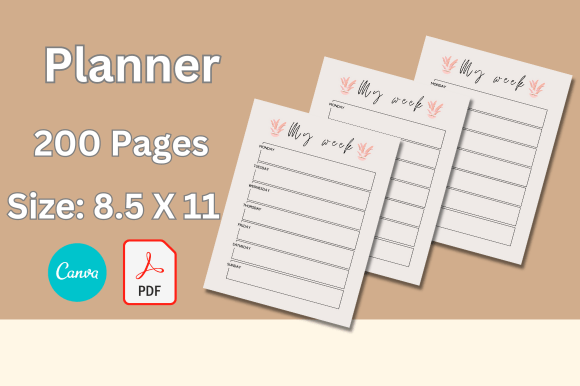
200 Editable Canva Templates for KDP: Streamlining Your Publishing Workflow
The Reality of Low-Content Publishing
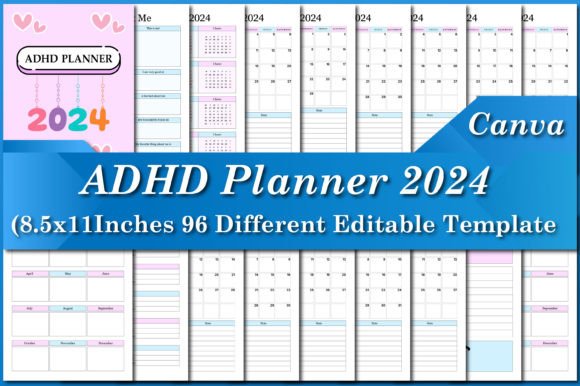
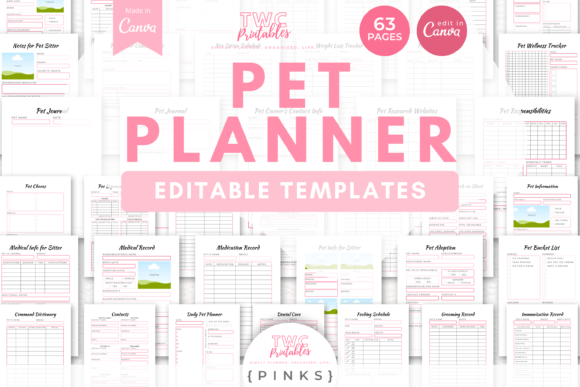
Anyone who has dipped their toes into Amazon KDP knows that the barrier to entry is low, but the barrier to success is high. You aren't just competing with other authors; you are competing with professional designers who have mastered the art of creating journals, planners, and activity books. The difference between a book that sits on the digital shelf and one that actually sells often comes down to the interior layout. It needs to look professional, clean, and intentional. This is exactly where having access to a robust library of assets changes the game. We are looking at a massive collection of 200 editable Canva templates for KDP designed to bridge the gap between amateur hour and professional publishing.
The core appeal here isn't just the quantity—200 sheets is a substantial volume—but the accessibility. We are talking about US Letter size (8.5 x 11 inches) with bleed already accounted for. For the independent publisher, this solves one of the most annoying technical hurdles: getting the margins right for KDP’s printing presses. You don’t need a degree in graphic design or an expensive Adobe subscription to use these. If you have a free Canva account, you have everything you need to start.
Visual Style and Functional Design
When you open this collection, you aren't met with chaotic, over-designed pages that distract the user from the content. Instead, the aesthetic is rooted in simple lined functionality. This is crucial for KDP products. Whether you are creating a gratitude journal, a daily planner, or a notebook for students, the user needs a canvas. The design philosophy here focuses on positive design—layouts that feel open, airy, and encouraging.
The visual characteristics are subtle but effective. You will find high-quality, original art elements that act as accents rather than the main event. This is the hallmark of good editorial design in the low-content space. The lines are crisp, the spacing is calibrated for handwriting comfort, and the overall personality is one of calm utility. It avoids the trap of keyword stuffing the visual space with unnecessary borders or heavy graphics. Instead, it embraces modern typography principles, ensuring that any text you add—whether it's chapter titles or instructional text—sits comfortably within the hierarchy.
Practical Application for the Non-Designer
One of the biggest hurdles for entrepreneurs and small business owners is the learning curve associated with design software. The beauty of this package lies in its simplicity. Because these are Canva templates, the workflow is drag-and-drop. You aren't wrestling with layers and clipping masks in Photoshop. You are simply selecting a page, making a copy (to protect the master file), and customizing it.
Imagine you are a content creator looking to launch a digital product. You need a workbook for a webinar. With these templates, you can assemble a 50-page workbook in an afternoon. You can match the brand identity of your client by changing the color of the accent art or the style of the headers. This flexibility makes these assets invaluable for marketers and bloggers who need to produce social media graphics and lead magnets quickly. The US size is standard, meaning if you decide to print a physical copy for a workshop, it will work seamlessly with standard office printers as well as KDP.
Elevating Your Brand and Product Line
Consistency is the currency of trust in the digital marketplace. If you are a seller on Etsy or Amazon, your product line needs to feel cohesive. Using a standardized set of design assets allows you to create a suite of products—a planner, a budget tracker, and a fitness journal—that all feel like they belong to the same family. This is how you build a recognizable brand identity without hiring a branding agency.
The "positive design" approach mentioned earlier plays a psychological role here. A cluttered page creates anxiety; a clean, lined page invites organization. By utilizing these templates, you are leveraging visual hierarchy to guide your customer's eye. The headings are distinct, the lines are spaced for legibility, and the overall layout promotes readability. This isn't just about looking pretty; it's about creating a user experience that encourages the customer to buy your next product because the first one was such a pleasure to use.
Maximizing Your Investment
For the hobbyist or crafter, 200 pages might seem like overkill, but for the serious publisher, it's a toolkit. It allows for variety. You can create niche-specific books—say, a reading log for book clubs or a specialized planner for real estate agents—without recycling the same three layouts. This variety helps you test different markets and see what sticks.
When evaluating how to use these templates, think beyond the obvious. While they are designed for KDP interiors, consider using them for packaging design inserts or internal business documents. A small business owner could use these to create professional employee handbooks or client onboarding documents. The fact that they work with a free account removes the financial risk of experimenting.
Ultimately, this collection of 200 editable Canva templates